 Lightia AI
 EpisodesLocal AI meeting notes
Episodes records your meetings, calls, and on-screen content, then uses AI running locally on your PC to transcribe, summarize, and keep it all searchable — with privacy in mind.
Get it from Microsoft StoreEvery day is a series of small episodes.
The decision made in a meeting, the idea that came up in a quick chat, the slide that was on screen. Each one is small, but together they become a story that matters to you. Episodes collects them, one episode at a time.
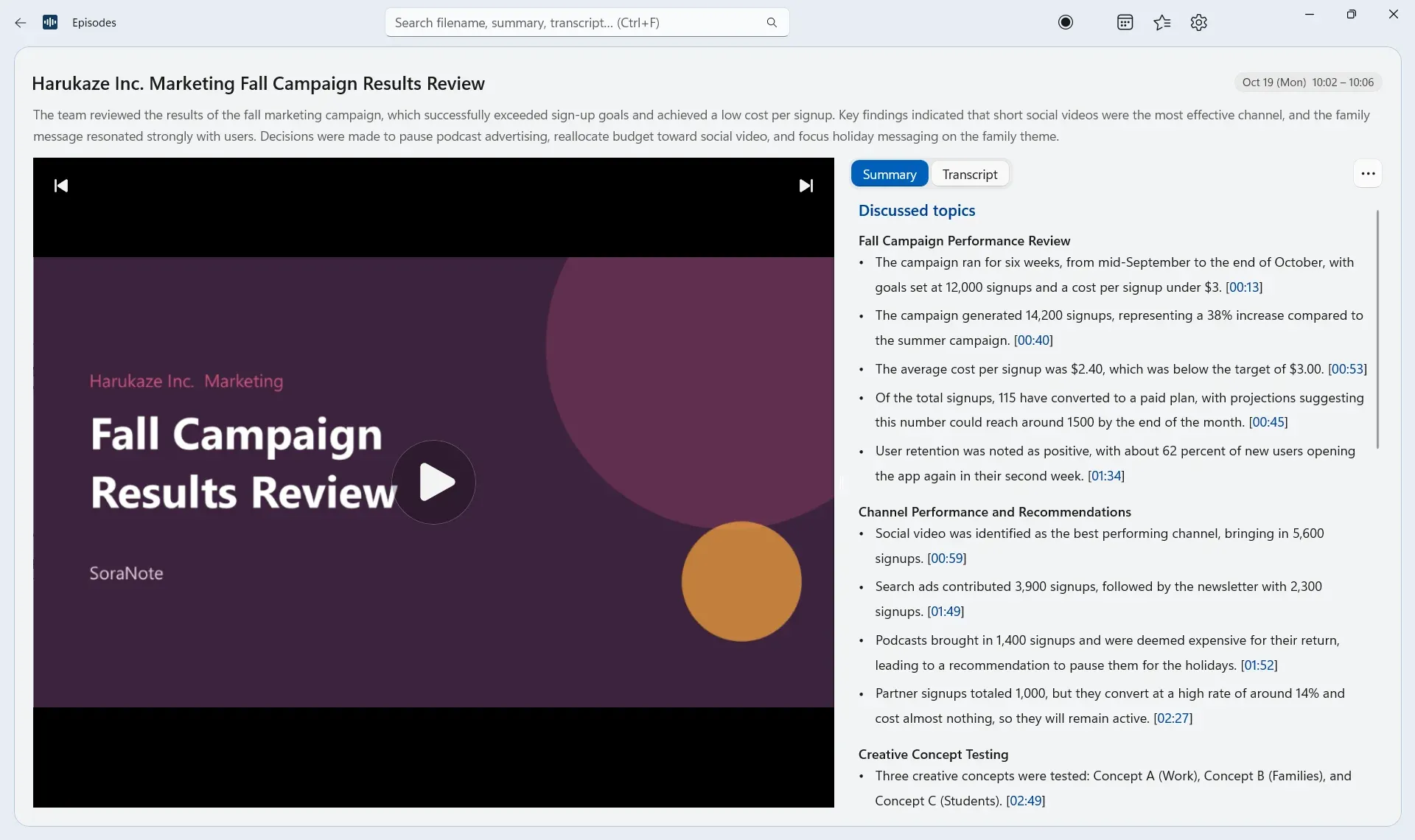
Record it, then look back
Episodes records your meetings' screen and audio. Later, rewatch any moment with its summary right beside it.
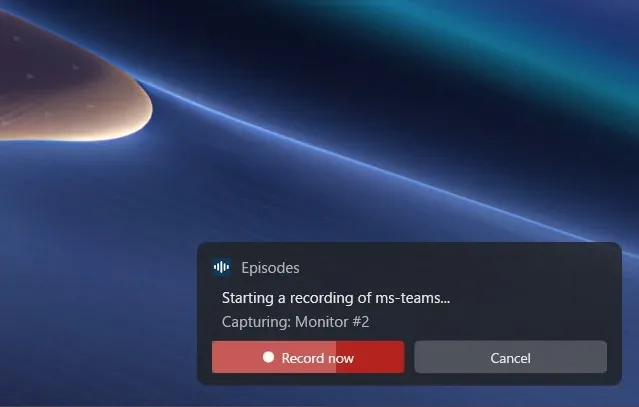
Starts recording when a call does
When it detects a call in Teams, Zoom, Meet or another app, Episodes lets you know it's about to record.
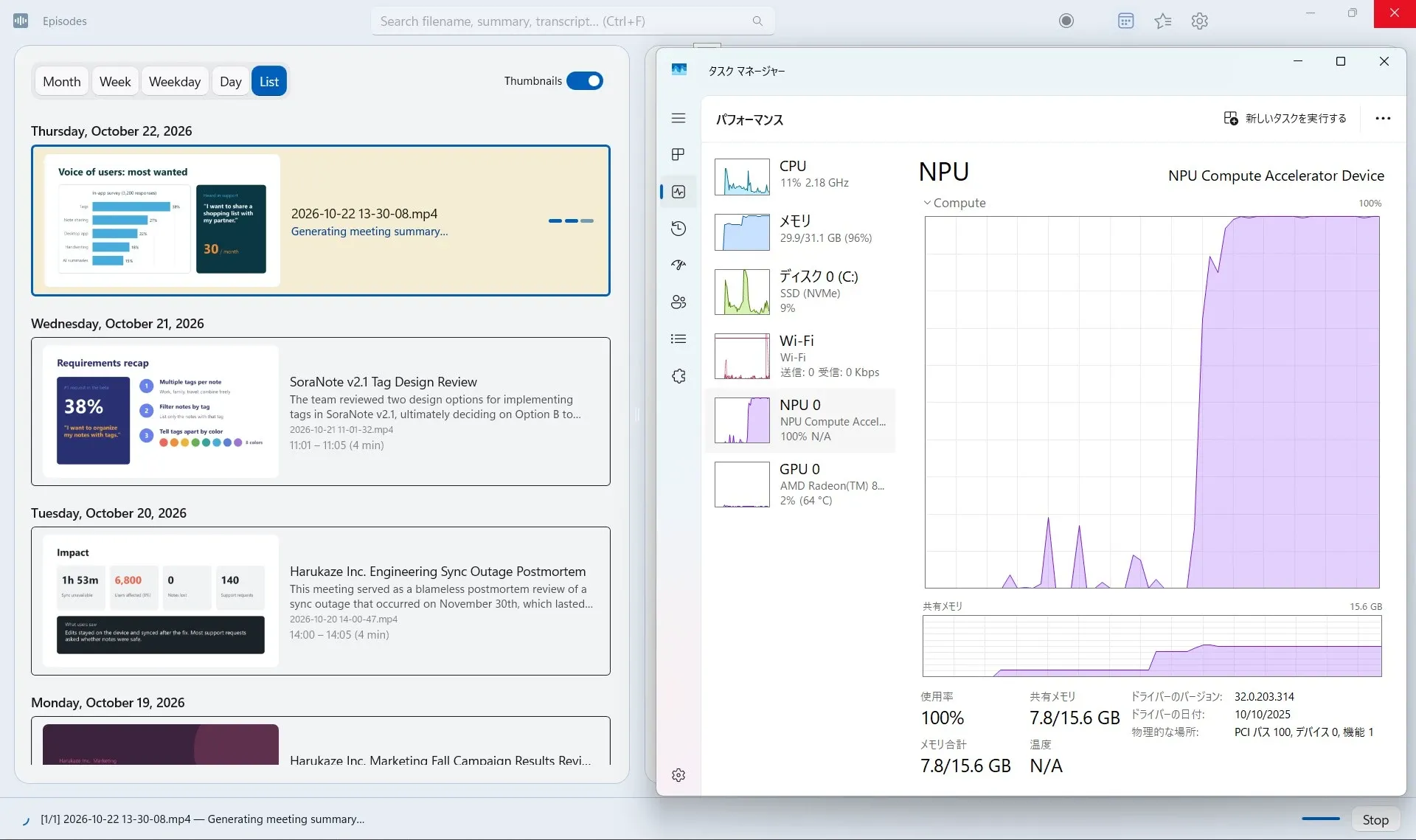
AI on your PC does the rest
When a meeting ends, its recording is processed by AI on your PC.
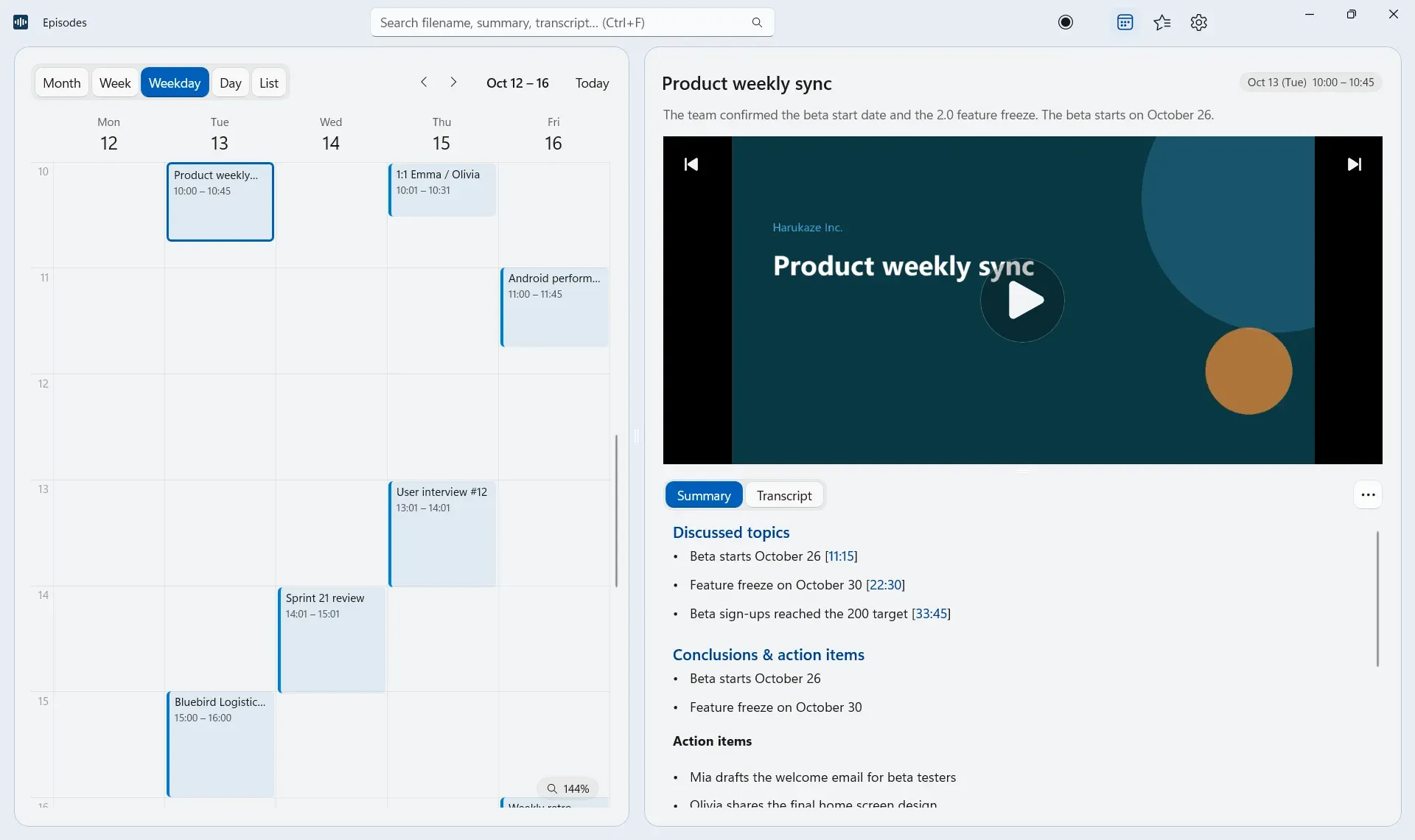
Look back by date
Find what was discussed, and when, right from the calendar.
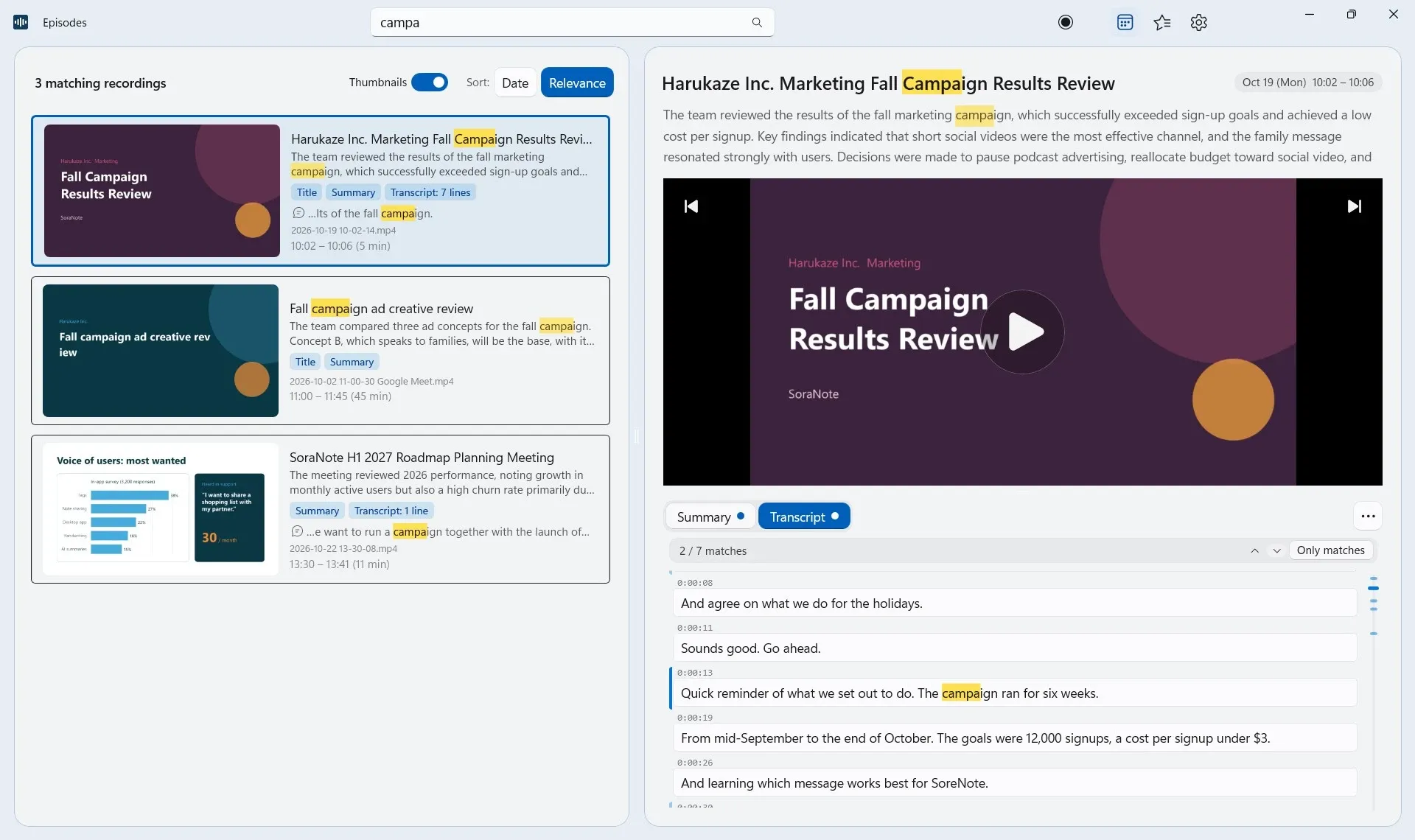
Search everything
Search transcripts and summaries across every meeting.
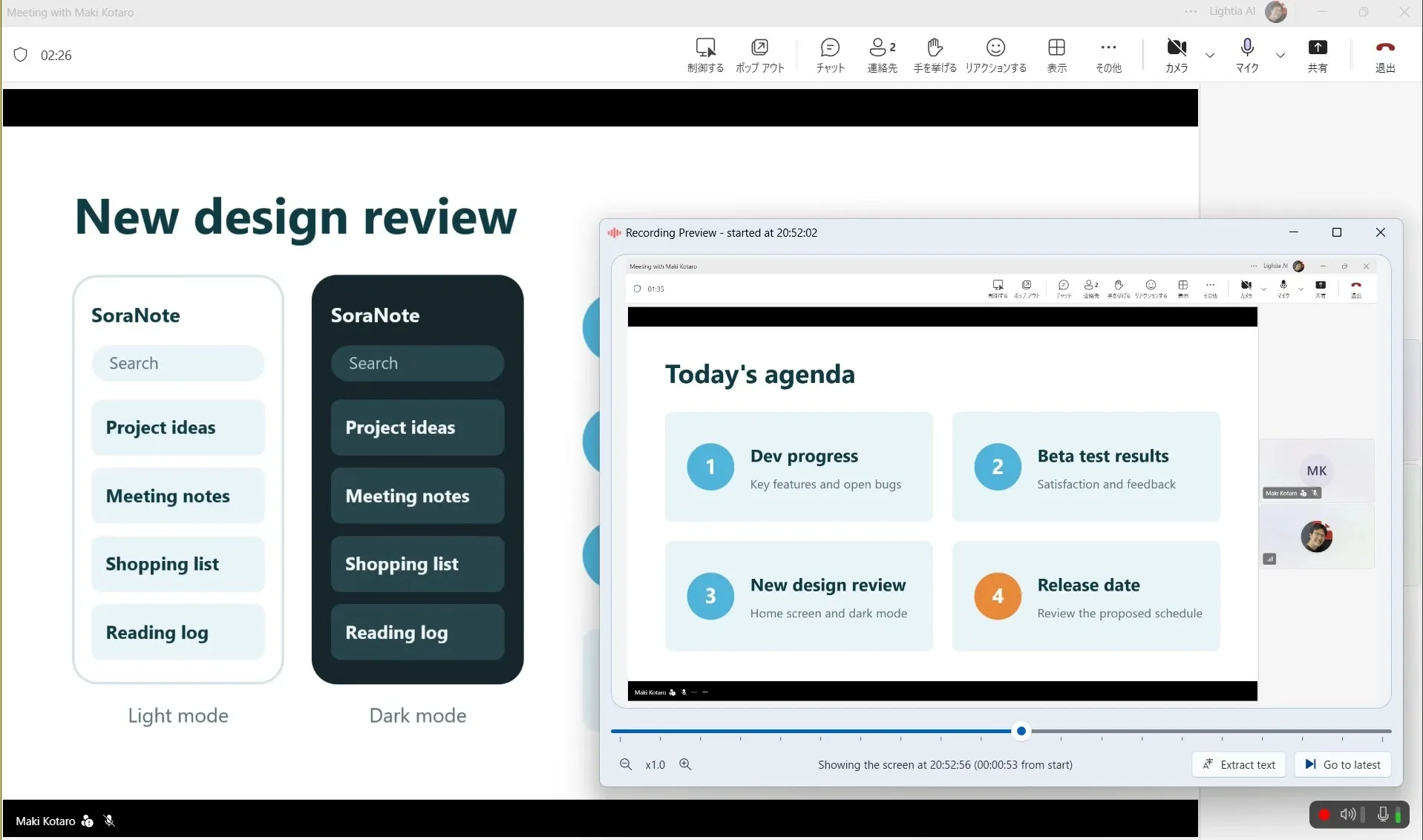
Catch up mid-meeting
Scroll back to a slide you missed, even while the meeting is still going.
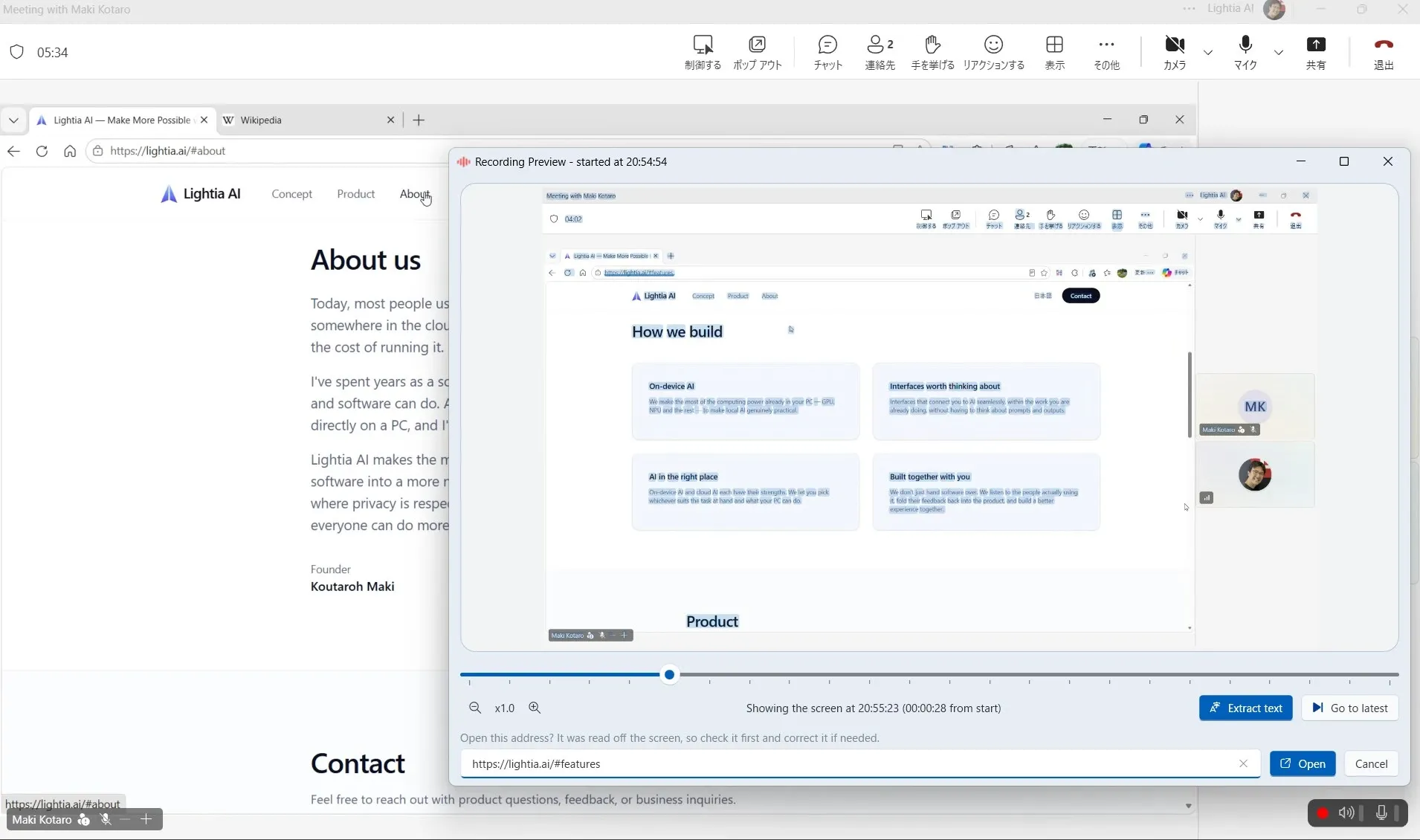
Copy text from the screen
Read text from a screen shared in the meeting to copy it or open links (Copilot+ PC only).
How it works
From recording to summary, everything runs on your PC by itself.
- 1
Record
Detects calls in Teams, Zoom, Meet and more, and records the screen and audio.
- 2
Read the screen
Reads the text on screen at every scene change (Copilot+ PC only).
- 3
Transcribe
Transcribes your voice and the other side's separately, so you know who said what.
- 4
Summarize
Writes a summary with timestamps from the transcript and the on-screen text.
- 5
Search
Every meeting lands on a calendar, searchable by keyword.
Pricing
Start free. Buy Pro once, and keep every meeting.
Free
$0
Try everything Episodes does.
- Recording, transcription, summaries and search
- Up to 20 recordings in your library
- One summary with an external LLM each time Episodes starts
Pro
$39.99one-time*
Buy it once in the app. No subscription.
- Everything in the Free plan
- No limit on recordings
- Summarize every meeting with your own external LLM
Business
Rolling Episodes out to a team or a company? We'll work out pricing and setup with you.
- Pricing for each rollout
* Outside the US, Microsoft adjusts the price for each market, and the Microsoft Store shows the price for yours.
FAQ
What can I do with Episodes?
From everyday check-ins to important meetings with people outside your company, Episodes records them automatically, whichever meeting app you use, so you can go back to meetings you could never keep before. Along with the recordings, transcripts and summaries build up on their own, giving you a personal source of information you can search whenever you need it.
How is it different from other meeting note apps?
- Works with any meeting tool. It detects calls from your PC's audio, so there's no integration to set up and no bot joining the meeting.
- No account to create. A quick first-time setup is all it takes.
- Keeps the video too. Jump straight to any moment from the summary's timestamps.
- Runs on your PC. Once the AI models have downloaded the first time, it can process offline.
- Uses what's on screen. Product names, people's names and other proper nouns on the slides make it into the summary (Copilot+ PC only).
- Look back during the meeting. Missed a slide? Check it right away in the recording preview.
- One-time purchase. Buy Pro once and use it for good on multiple PCs signed in with the same Microsoft account.
Is what's said in my meetings sent anywhere?
Not by default. Everything from recording to summarizing runs on your PC. Only if you set up a cloud AI such as Anthropic, OpenAI or Google, or an in-house server, are the transcript and on-screen text sent there. Video and audio never are. If recordings are saved to OneDrive, the recordings and their results sync to your own OneDrive.
Where are recordings saved?
As ordinary MP4 files, with the transcript and summary beside them. On a PC with OneDrive set up, they go to OneDrive by default, so you can also see them from another PC on the same Microsoft account. You can also keep them only on your PC, without syncing to OneDrive. They stay when you uninstall the app.
Can other people tell I'm recording?
Episodes doesn't show anything or send any notice to the other side, and no bot joins. Recording may require consent depending on the country, region or company, so check the rules that apply and let participants know.
Does it work for in-person meetings?
Yes. Start a recording manually, and it transcribes and summarizes what your microphone picks up.
What do I need to run it?
Episodes runs on Windows 11 or 10 PCs, including Arm-based ones, with 6–10 GB of free storage for the AI models. We've put a lot of work into producing practical transcripts and summaries within the limited resources of a PC, so try it for free first. On an older PC, or when you want faster, more accurate summaries, you can also use an external AI with your own API key. On a Copilot+ PC, it can read text on screen too.
Does it use the GPU or NPU?
Yes, to read text on screen and to generate summaries.
- Reading on-screen text (Copilot+ PCs): on the NPU, through Windows AI.
- Summaries (AMD Ryzen AI PCs): on the NPU, through FastFlowLM.
- Summaries (other x64 PCs): on the GPU, through Vulkan.
If the NPU or GPU isn't available, summaries switch to the CPU automatically.
Which languages does it support?
Meetings in English and Japanese, with the summary in whichever language you prefer. The app itself is available in six languages.